




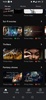

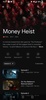
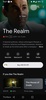

Google TV is a new platform that comes to renew almost entirely Google Play Movies. Through a much more organized interface, you will find hundreds of movies, series, and TV shows that you can watch with your Android device.
In this redesign, one of the key additions to Google TV is that the platform can include content from other streaming movie and series services. If you have a Netflix, Amazon Prime Video, HBO, Apple TV, or Disney+ account, all you have to do is log in to bring all your catalogs into a single interface. This will be of great help to locate all the audiovisual content that interests you without having to switch between apps.
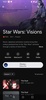
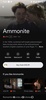
In each content card, you will have access to basic information or —in the case of a series— to an illustrative segmentation by episodes. Google TV has also partnered with the well-known US portal Rotten Tomatoes to incorporate its reviews under the title of the films. In this way, you will be able to glimpse the percentage of affinity you have with each production. Naturally, the tool offers the possibility of renting or buying titles as you did before in Google Play Movies.
Google TV is Google's new video-on-demand platform that also allows you to access the catalogs of other VoD companies. This will enable you to enjoy a fascinating multimedia center from which you will be able to access hundreds of audiovisual productions. Everything will be displayed with detailed information and different ways to consume the content from one place. The app also allows you to send the image you are playing to any device with Chromecast technology. This will enable you to watch movies or episodes of your favorite series on the TV or a compatible monitor.
Requirements (Latest version)
- Android 6.0 or higher required


 232 reviews













Comments
Nice
Super
Excellent
The most beautiful Google
I award a 5***** rating to Google TV, because it is the best media app on the web, as of today.
I LOVE IT